
Introduction
If you’re planning to start a WordPress website, then hosting is probably the first real decision you’ll face… and honestly, it’s a big one.
A lot of people ignore this part in the beginning and just go with the cheapest option. I did the same once. Bad idea.
Because hosting is not just about storing your website — it actually decides how fast your site loads, how often it goes down, and even how Google sees it.
So yeah, choosing the best hosting for WordPress websites is not something you want to rush.
In this guide, I’ll keep things simple. No technical jargon. Just what actually matters.
What is WordPress Hosting?
Let’s not overcomplicate this.
WordPress hosting is basically a type of hosting that’s made specifically for WordPress websites. That’s it.
It usually comes with:
- one-click WordPress install
- better speed setup
- built-in security
Think of it like this — normal hosting is general, but WordPress hosting is optimised.
So your site runs smoother without you doing much.
Best Hosting for WordPress Websites
If you’re wondering what the best hosting for WordPress websites actually means, here’s the simple answer:
It should be fast, secure, reliable, and easy to use.
Hosting is important. It also helps improve speed. This directly impacts performance.
That’s all.
Some names you’ll hear again and again are Hostinger, Bluehost, SiteGround, and WP Engine. There’s a reason for that — they work.
But the “best” one depends on what you need. A beginner and a high-traffic website don’t need the same thing.
Types of WordPress Hosting
Before picking anything, you should know what options you actually have.
Shared Hosting
This is where most people start.
It’s cheap. Easy. But your site shares a server with other websites.
So if one site gets heavy traffic… yours might slow down too.
Still, for beginners? Totally fine.
Managed WordPress Hosting
This is more like a “set it and forget it” option.
Updates, backups, security — everything is handled for you.
It costs more, yes. But saves a lot of time.
VPS Hosting
Now this is where things get a bit more powerful.
You get more control, better performance, and fewer limitations compared to shared hosting.
Good if your site is growing.
Cloud Hosting
Cloud hosting is flexible.
Your website doesn’t depend on just one server. That means better uptime and scalability.
If you’re expecting serious traffic, this is worth looking into.
Top WordPress Hosting Providers (2026)
Hostinger
If budget matters (and it usually does), Hostinger is hard to ignore.
It’s cheap, but surprisingly fast. Setup is simple, and you get everything you need to start.
Honestly, for beginners, this is one of the easiest choices.
Bluehost
Bluehost is kind of the “default recommendation” you’ll see everywhere.
And to be fair, it’s beginner-friendly.
You get a free domain, a simple dashboard, and decent support. Nothing too fancy, but it gets the job done.
SiteGround
SiteGround is where things start getting more serious.
Better speed, better support, and overall more reliable.
If SEO and performance matter to you, this one stands out.
A2 Hosting
Speed. That’s what A2 Hosting focuses on.
Their turbo servers actually make a difference, especially if your site has heavy content.
Not the cheapest, but worth it if performance is your priority.
DreamHost
DreamHost is more of a long-term, stable option.
No hype, just consistent performance.
You get unlimited bandwidth and solid reliability. Good for people who don’t want to keep switching hosts.
WP Engine
Now this is premium stuff.
WP Engine is built for high-traffic and business websites.
Everything is optimised, but yeah — it’s expensive. Not really for beginners.
Cloudways
Cloudways is flexible but slightly technical.
You can choose cloud providers like AWS or Google Cloud and scale as needed.
Best for developers or growing projects.
Comparison
| Hosting Provider | Speed | Pricing | Best For |
|---|---|---|---|
| Hostinger | Fast | Low | Beginners |
| Bluehost | Good | Medium | New websites |
| SiteGround | Fast | Medium | Performance |
| A2 Hosting | Very Fast | Medium | Speed |
| DreamHost | Good | Medium | Stability |
| WP Engine | Very Fast | High | Business use |
| Cloudways | Fast | Flexible | Scaling |
How to Choose the Right One
Don’t overthink it. Just check these:
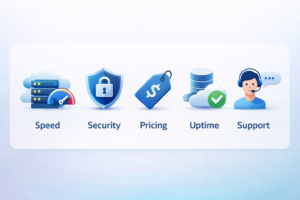
- Speed (this affects everything)
- Uptime (your site should stay live)
- Security (SSL + backups are must)
- Support (you’ll need help at some point)
- Pricing (especially renewal — people ignore this)
That’s enough to make a smart decision.
Best Hosting Based on Needs
If you’re just starting → Hostinger or Bluehost
If speed matters → SiteGround or A2 Hosting
If traffic is high → WP Engine or Cloudways
If budget is tight → Hostinger (again)
Common Mistakes
A lot of people mess this up.
- Choosing only based on price
- Ignoring support
- Not checking renewal cost
- Skipping backups/security
Avoid these and you’re already ahead of most beginners.
Why Hosting Matters for SEO
This part is underrated.
Your hosting actually affects the following:
- site speed
- uptime
- user experience
And all of that impacts rankings.
So yeah, it’s not just a technical thing — it’s an SEO decision too.
Conclusion
At the end of the day, there’s no “one best hosting” for everyone.
It depends on where you are right now.
If you’re new, keep it simple — Hostinger or Bluehost.
If you want better performance, go for SiteGround or A2 Hosting.
If you’re scaling, then Cloudways or WP Engine makes sense.
Just don’t rush the decision.
Good hosting makes everything easier later. Bad hosting… you’ll feel it very quickly.
FAQs
What is the best hosting for WordPress websites?
For most people, Hostinger, Bluehost, and SiteGround are solid choices.
Is shared hosting good for WordPress?
Yes, especially in the beginning.
Which hosting is fastest?
A2 Hosting and SiteGround are known for speed.
How much does it cost?
Anywhere between $2 to $30/month depending on what you choose.
Do I need managed hosting?
Not really. It helps, but you can start without it.
Can I switch later?
Yes, and most hosts make it pretty easy.